Project Background & Personal Journey
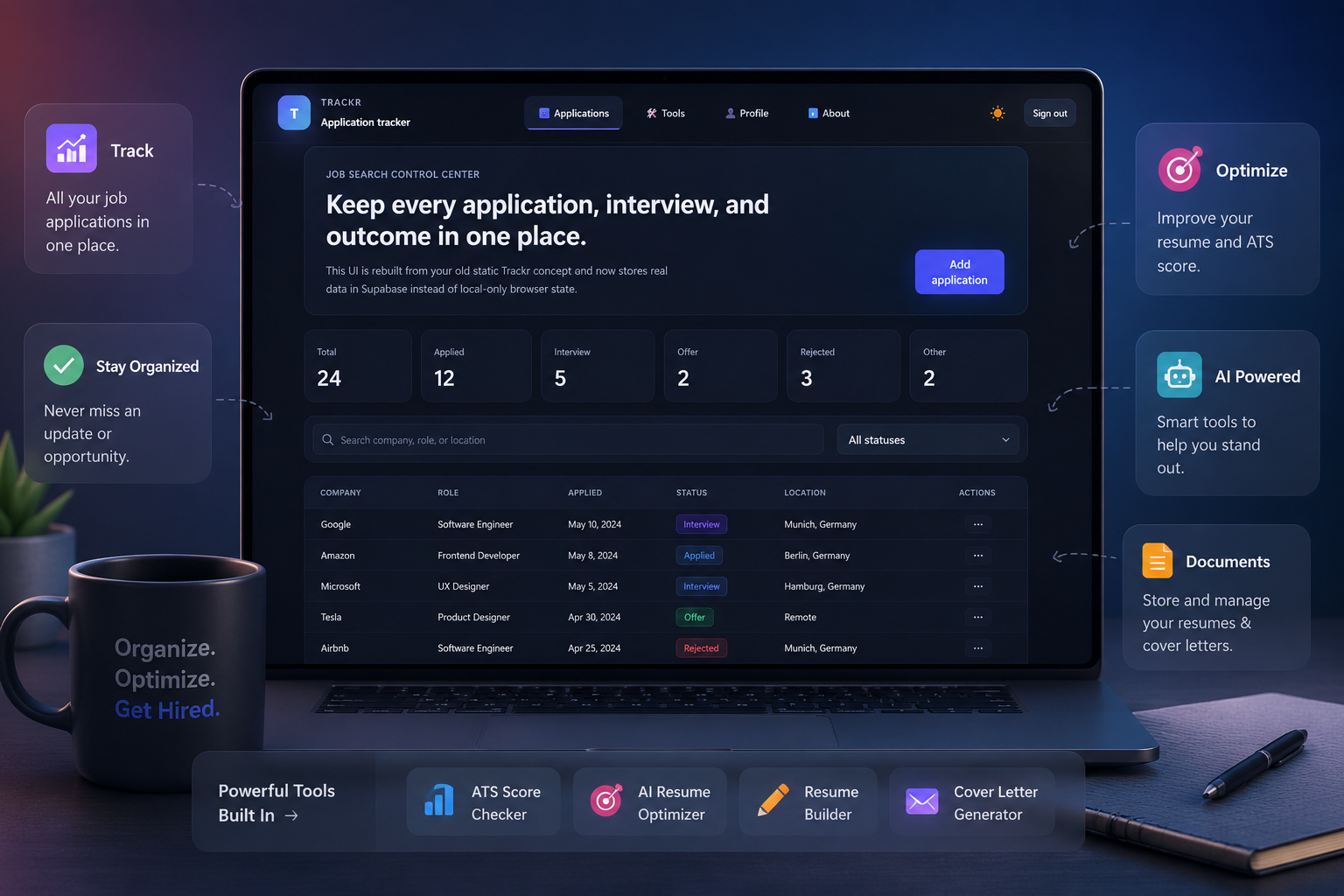
Trackr started as a personal initiative inspired by the challenges I faced during my own job search journey. Managing applications, resumes, interview updates, and deadlines across multiple platforms often felt overwhelming and unorganized. I wanted to create a solution that could simplify and centralize the entire process for job seekers.
As a solo designer and frontend developer, I independently designed and developed the platform from the ground up. My focus was on creating a clean, modern, and user-friendly experience that reduces complexity while helping users stay organized throughout their job search process.
Beyond application tracking, I envisioned Trackr as a scalable career support platform with intelligent productivity tools. This led to the integration of features such as ATS analysis, resume optimization, resume building, and AI-powered cover letter generation, with future plans to expand into a fully AI-driven job assistant ecosystem.
Research
During the research phase, I explored how modern job seekers currently manage their applications and analyzed platforms such as Teal, Huntr, LinkedIn Jobs, and Notion-based job trackers. These platforms provided useful tracking and resume optimization features, but many solutions still required users to switch between multiple tools for application tracking, resume building, document management, and AI-based optimization.
I also studied common pain points experienced by students and professionals during the job search process. Users often struggled with tracking application statuses, managing different resume versions, remembering deadlines, and handling repetitive manual tasks across multiple platforms. Most existing tools focused only on one part of the workflow instead of providing a unified experience.
These insights helped shape Trackr into an all-in-one platform focused on simplicity, organization, and productivity. The research phase strongly influenced the decision to combine job tracking, ATS analysis, resume optimization, and AI-powered career tools into a single scalable ecosystem designed to reduce complexity and improve the overall user experience.
User Surveys & Interviews
To better understand how users manage job applications and interact with existing tracking systems, I conducted a combination of online surveys and user interviews with students, recent graduates, and active job seekers. The research focused on identifying workflow pain points, tracking behavior, and expectations for automation and organization tools during the job search process.
Survey Overview
Key Survey Findings
use spreadsheets, Excel sheets, or personal folders to manage applications
reported losing important application data due to poor organization or technical issues
experience difficulties tracking interview stages and application progress
prefer a centralized web-based platform over manual systems
want clearer visibility of application statuses and progress updates
need automation features such as email-based status updates and workflow automation
User Interviews
I conducted one-on-one interviews to better understand user frustrations, motivations, and workflow challenges during the job search journey.
Interview Insights
- Users feel overwhelmed while managing multiple applications simultaneously
- Many rely on manual spreadsheets or disconnected folder systems
- Users prefer visual status indicators for faster tracking
- Confusion often occurs between different application stages
- A clean and focused interface increases confidence and usability
- Automation is highly preferred to reduce repetitive manual tasks
Key Takeaways
Card Sorting & Affinity Mapping
To better understand how users mentally organize job application workflows, I conducted card sorting and affinity mapping activities based on insights collected during surveys and interviews. These exercises helped identify how users grouped features related to application tracking, document management, interview progress, and automation tools. By clustering similar behaviors and expectations into meaningful themes, I was able to simplify the platform structure and improve overall usability.
The findings played an important role in designing a more intuitive information architecture for Trackr. They helped prioritize core features, reduce unnecessary complexity, and create clearer navigation flows aligned with real user expectations and behaviors during the job search process.
🔴 Pain Points
- Application overload
- Tracking confusion
- Spreadsheet dependency
- Lost application data
- Poor status visibility
- Manual workflows
- Document mismanagement
- Interview tracking issues
- Scattered platforms
- Repetitive data entry
- No centralized system
- Missed deadlines
- Workflow complexity
- Lack of automation
- Job search stress
🟡 Behavioral Points
- Using spreadsheets
- Creating personal folders
- Manual status updates
- Saving multiple resumes
- Checking emails repeatedly
- Switching between platforms
- Tracking through notes
- Daily application reviewing
- Visual progress checking
- Using browser bookmarks
- Searching old emails
- Document duplication
- Frequent status monitoring
- Prioritizing applications manually
- Using web platforms regularly
🟢 Desire Points
- All-in-one platform
- Centralized tracking
- Clear status visibility
- AI-powered automation
- Automatic email updates
- Simple and modern interface
- Easy document organization
- Smart resume optimization
- Fast application management
- Visual progress indicators
- Reduced manual effort
- Workflow efficiency
- Cross-device accessibility
- Personalized career tools
- Stress-free job tracking
Meet the Users: Personas, Task Flows & User Journeys
Before starting the wireframing process, I explored communities and platforms where job seekers actively discuss their application experiences, career planning strategies, and productivity workflows. This included browsing job search communities, LinkedIn discussions, Reddit forums, and productivity-focused platforms to understand how users currently manage applications, resumes, and interview tracking.
By observing real user behaviors and workflow patterns, I gained deeper insight into the frustrations users face during the job search journey. Many users struggled with scattered tools, poor organization, repetitive manual tracking, and a lack of visibility into their application progress. Understanding these behaviors helped me identify not only what users needed, but also the motivations and emotions behind their actions.
These insights allowed me to build realistic personas representing different types of job seekers and professionals. Based on their goals, frustrations, and behaviors, I developed user journeys and task flows to ensure the platform delivers a smoother, more intuitive, and productivity-focused experience.
The research insights helped me define 3 primary personas:
Sushant CG
The Ambitious Master's Student
K. Surya Kumar
The Recent Graduate
G. Midhun Kumar
The Experienced Professional
Sushant CG – The Ambitious Master's Student
🎯 Goals
- Find working student opportunities in AI
- Track multiple applications efficiently
- Improve resume quality for international roles
😣 Frustrations
- Managing applications manually
- Losing track of interview updates
- Difficulty tailoring resumes for different roles
🧠 Behaviors
- Applies to multiple jobs weekly
- Frequently updates resumes and cover letters
- Uses job portals and LinkedIn daily
❤️ Needs
- Centralized application tracking
- Resume optimization support
- Clear interview and status visibility
K. Surya Kumar – The Recent Graduate
🎯 Goals
- Explore better software development opportunities
- Track career growth applications
- Manage resumes for different tech roles
😣 Frustrations
- Switching between multiple tracking methods
- Forgetting follow-ups and deadlines
- Repetitive manual workflows
🧠 Behaviors
- Regularly browses job platforms
- Saves job postings for later review
- Maintains multiple resume versions
❤️ Needs
- Organized job tracking system
- Faster workflow management
- Simplified document organization
G. Midhun Kumar – The Experienced Professional
🎯 Goals
- Search for better career opportunities
- Manage high-volume professional applications
- Track interview pipelines efficiently
😣 Frustrations
- Difficulty managing multiple interview stages
- Lack of automation in current workflows
- Time-consuming document handling
🧠 Behaviors
- Reviews job opportunities regularly
- Prefers structured and efficient workflows
- Focuses on productivity and speed
❤️ Needs
- Advanced application tracking
- Automated workflow updates
- Professional and scalable interface
Exploration & Ideation
During the exploration phase, I studied how users interact with job tracking and productivity platforms in real-world scenarios. Based on research insights, I explored multiple layout structures, navigation patterns, and dashboard concepts to create a more intuitive and organized experience.
I experimented with card-based layouts, table views, workflow-focused navigation, and minimal interface designs to improve usability and reduce complexity. Special focus was given to visual hierarchy, accessibility, and faster access to important features such as application tracking, resume tools, and AI-powered workflows.
The ideation process also helped shape future AI-driven experiences including ATS analysis, resume optimization, and automated status updates, ensuring the platform remains scalable and adaptable for future growth.
Workflow
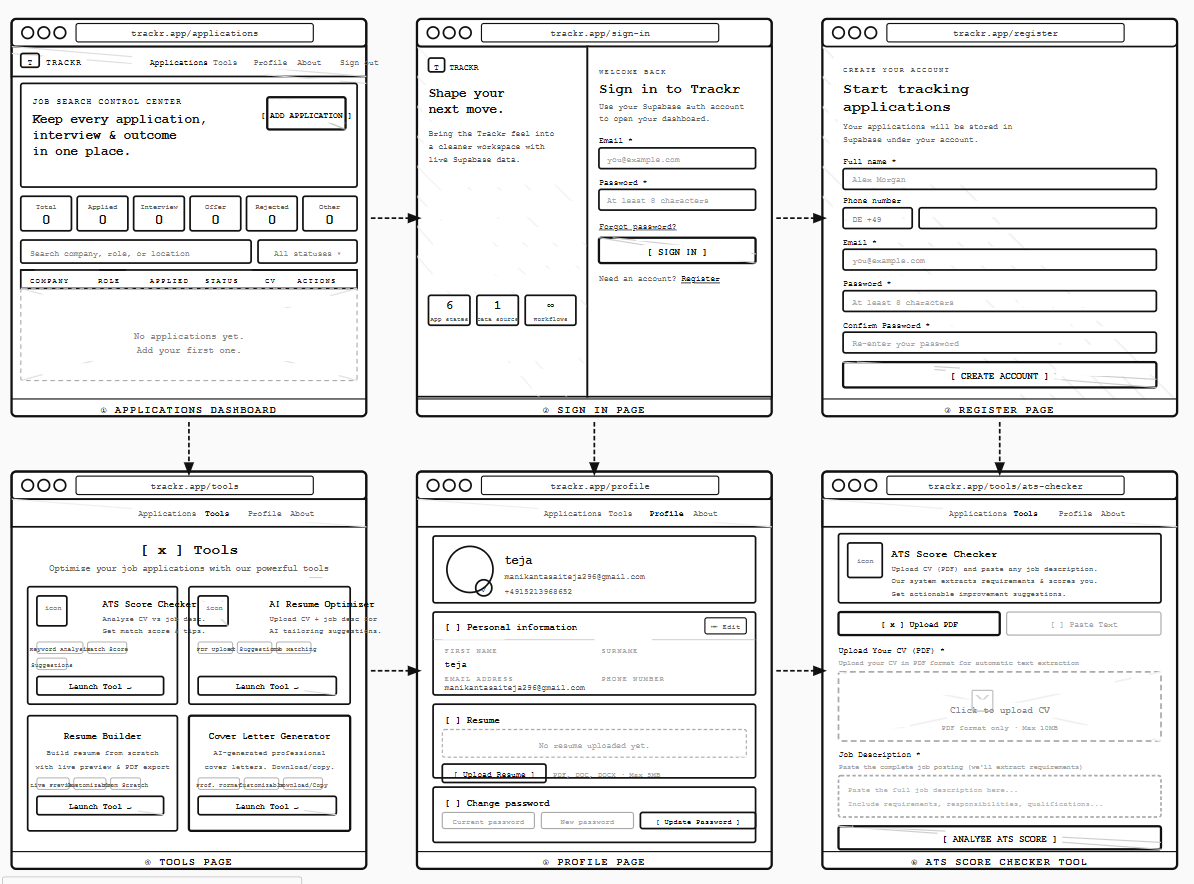
The Trackr workflow was designed to create a smooth and organized experience for users throughout their job search journey. The platform guides users from onboarding to application tracking and career optimization through a centralized and intuitive workflow structure.
User Authentication
- User creates an account or logs into the platform
- Basic profile and account setup is completed
- User gains access to the personalized dashboard
Dashboard Overview
- Users can view all job applications in one place
- Dashboard displays application statuses, progress, and recent activities
- Search and filtering options help users quickly access information
Add & Manage Applications
- User adds company details, role information, and application links
- Resume and cover letters can be attached
- Application stages can be updated dynamically
Application Tracking
- Track statuses such as Applied, Interview, Offer, or Rejected
- Monitor interview schedules and updates
- Maintain organized application history
AI & Productivity Tools
- ATS Score Checker analyzes resume compatibility
- AI Resume Optimizer improves resume quality
- Resume Builder creates customizable resumes
- AI Cover Letter Generator creates personalized cover letters
Profile & Document Management
- Manage resumes and personal information
- Update account settings and passwords
- Access help and support resources
Future Automation Workflow
- Automatic status updates through email integration
- AI-powered job recommendations
- Smart workflow automation and notifications
- Centralized career assistance ecosystem
Usability Testing
Test Persona – P. Mounika, The Efficient Professional
🎯 Goals
- Track job applications efficiently
- Manage resumes and documents in one place
- Monitor interview progress clearly
😣 Frustrations
- Too many manual tracking methods
- Confusing application organization
- Difficulty remembering status updates
🧠 Behaviors
- Frequently checks application progress
- Uses multiple job platforms daily
- Prefers fast and organized workflows
❤️ Needs
- Centralized tracking system
- Clear application visibility
- Quick and simple navigation
Task Completion: Users were asked to complete core tasks such as creating applications, updating statuses, uploading resumes, and exploring AI-powered tools to evaluate usability, workflow efficiency, and accessibility across the platform.
Navigation & Clarity: Testing focused on how easily users could navigate between sections, understand labels, identify application statuses, and access important features without external guidance. Special attention was given to dashboard clarity and workflow simplicity.
Feedback & Iteration: User feedback highlighted areas related to navigation improvements, workflow simplification, and clearer status visibility. Based on the findings, layouts, interactions, and feature organization were refined to create a smoother and more intuitive user experience.
Usability Testing Results & Affinity Mapping
Usability testing revealed important insights related to application tracking workflows, information visibility, and feature accessibility. Through affinity mapping, recurring patterns such as confusion caused by scattered tracking methods, lack of centralized organization, and the need for automation became evident.
These findings helped prioritize improvements such as simplified navigation, better dashboard structure, clearer status indicators, and faster workflows. As a result, the final experience became more organized, efficient, and aligned with real user expectations during the job search process.
User Interface Design
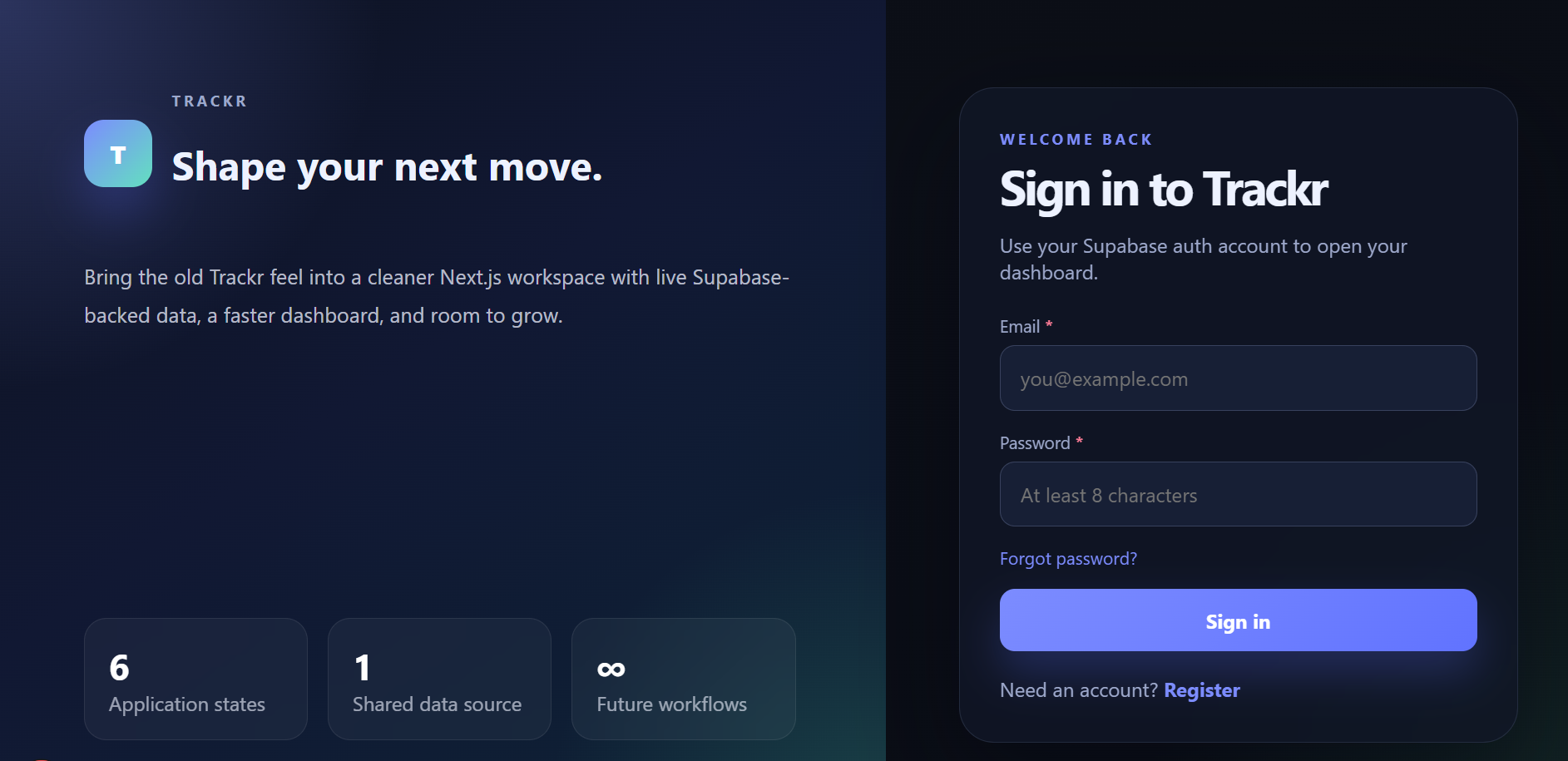
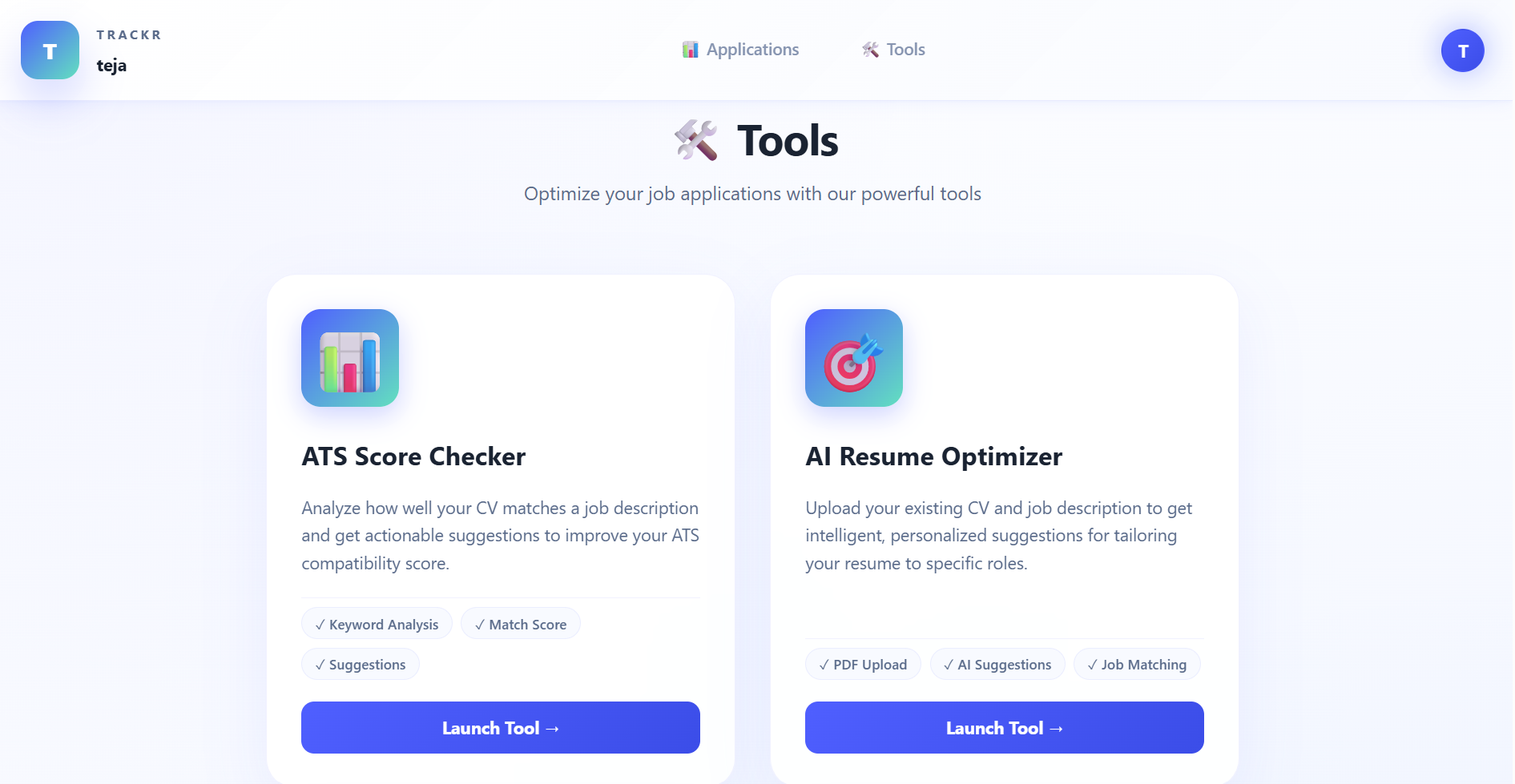
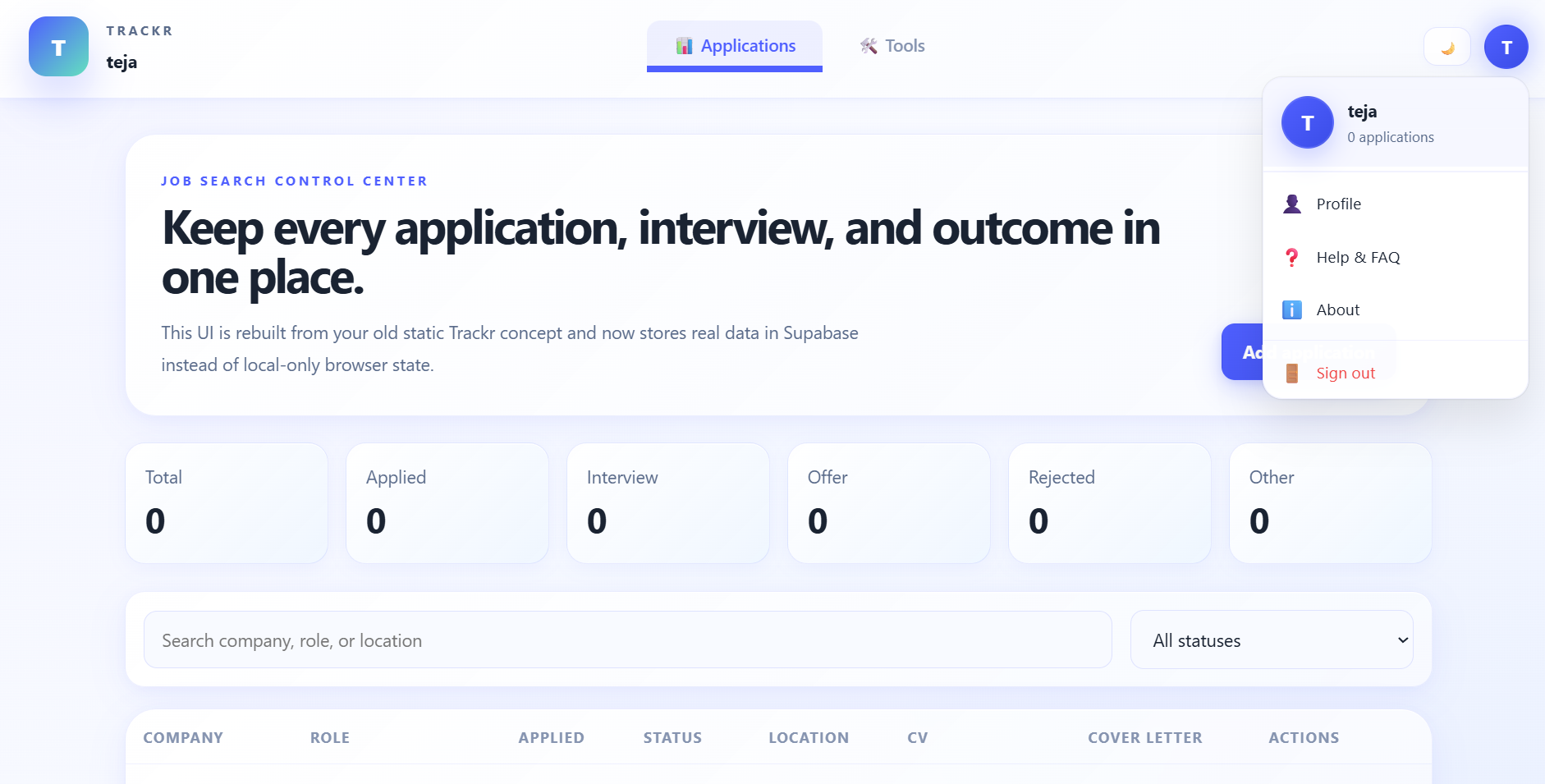
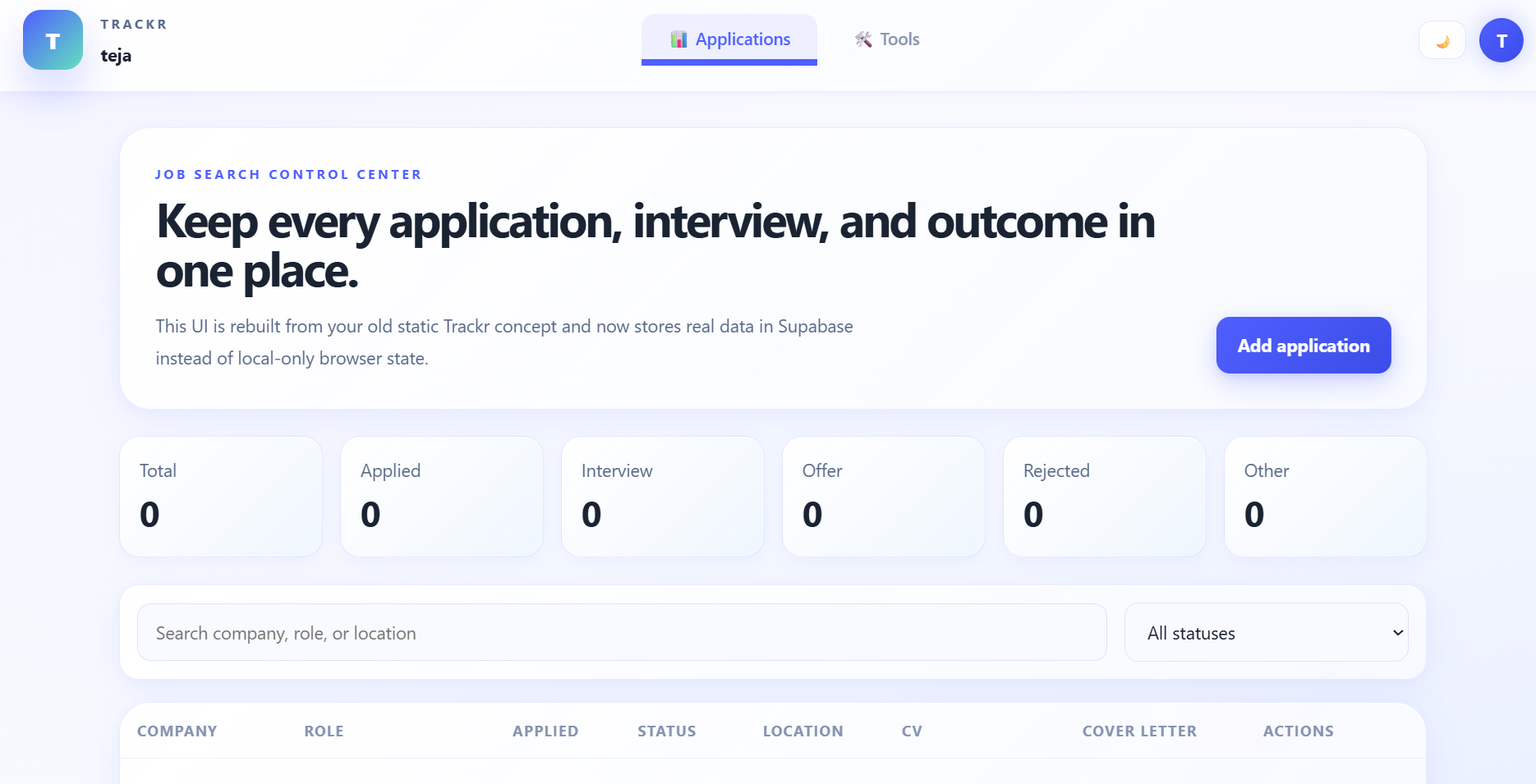
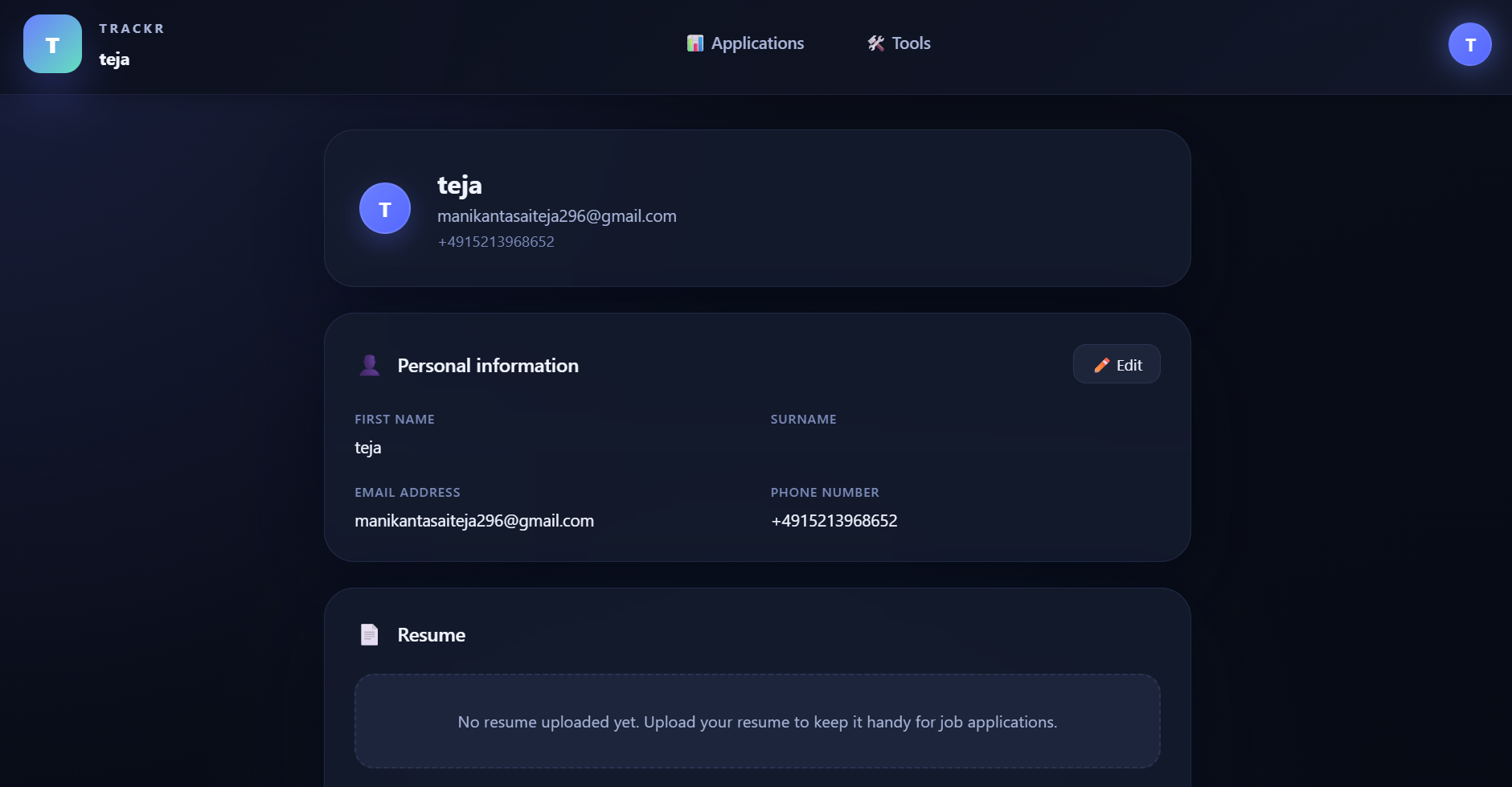
The user interface design of Trackr was focused on creating a clean, modern, and productivity-driven experience for job seekers. The visual design emphasizes clarity, simplicity, and accessibility while maintaining a professional aesthetic suitable for both students and experienced professionals.
A dark-mode-first design system was chosen to reduce visual fatigue and create a more focused workspace for users managing multiple applications and career-related tasks. Consistent spacing, typography, card-based layouts, and visual hierarchy were carefully designed to improve readability and guide users toward important actions and information.
The interface was designed to support fast and intuitive interactions across different workflows such as application tracking, resume management, ATS analysis, and AI-powered tools. Special attention was given to navigation simplicity, clear status visibility, and modular layouts to ensure scalability for future feature expansion and automation capabilities.
Trackr taught me
Trackr taught me how to translate real productivity challenges into meaningful design solutions. It strengthened my ability to conduct user research, identify genuine pain points, and make design decisions based on user needs rather than assumptions.
The project also helped me improve my skills in structuring user flows, simplifying complex information, and iterating through feedback. Most importantly, Trackr taught me the value of simplicity in design—understanding that less is often more, and creating experiences that feel effortless, clear, and empowering.